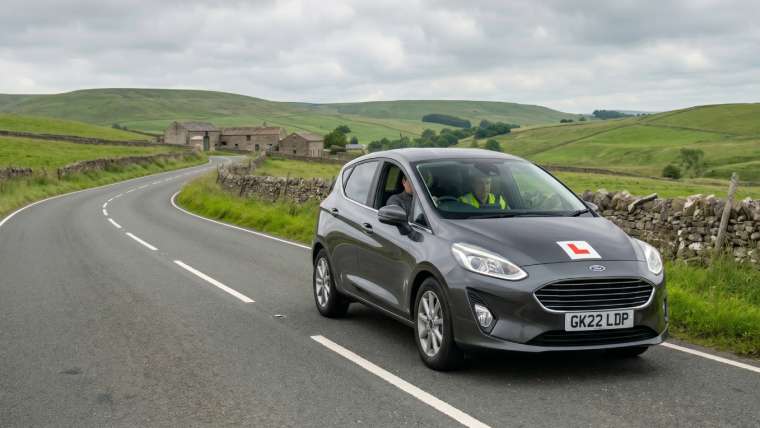

If you’ve passed your test recently, or you’re counting down to your practical exam, you may already be picturing the moment you finally get to swap your L plates for a full licence. Soon, that licence might not just live in your wallet — it could live on your phone too.
The DVLA is rolling out a digital driving licence as part of the Government’s wider GOV.UK Wallet initiative, with the aim of having digital alternatives to every physical government document available by the end of 2027. For new and young drivers in particular, who’ve grown up expecting to manage almost everything from a smartphone, this is a welcome step. But it also raises sensible questions: how does it actually work, is it safe, and does it replace the physical card you’ll still need to carry?
Here’s what’s changing, what’s staying the same, and how to make the most of the digital tools already available to you today.
What is the GOV.UK Wallet, and where does the driving licence fit in?
The GOV.UK Wallet is a new government app, built into the existing GOV.UK One Login system, designed to hold digital versions of official documents and credentials. Think of it as a secure, government-run equivalent of adding a boarding pass or a loyalty card to your phone’s wallet app — except here it’s your identity documents.
The driving licence is one of the first credentials being added. Once it’s live for you, you’ll be able to download the GOV.UK One Login app, verify who you are, and store a digital version of your licence on your phone alongside your physical photocard.
It’s worth being clear about the timeline. The digital driving licence has been moving through piloting and phased rollout during 2026, with the Government’s broader commitment being that all public services will offer a digital alternative alongside physical documents by the end of 2027. Your physical photocard licence isn’t being scrapped — there’s no announced date for withdrawing it, and for the foreseeable future you’ll still need to carry it as your primary legal document, particularly if you’re stopped by the police or renting a car abroad.
How will it actually work?
Based on how the rollout has been described so far, the process looks broadly like this:
- Download the GOV.UK One Login app on your iPhone or Android device.
- Verify your identity, typically by scanning your passport or existing photocard licence, along with facial recognition matching.
- Set up biometric security on the app itself, using Face ID, a fingerprint, or a secure PIN.
- Access your digital licence, which should be available even without an internet connection, useful if you’re asked to show it somewhere with poor signal.
Any changes to your official driving record — a renewed address, a new vehicle category, or an endorsement — should update automatically, since the digital licence pulls directly from DVLA’s own records via a secure one-way data connection.
The stated aim behind all this is to cut down on delays and admin: fewer lost or stolen photocards, quicker access for people who’ve just passed their test, and an easier way to prove your identity or your right to drive without waiting for something to arrive in the post.
Who can actually check your digital licence?
This is one of the most important parts to understand, especially if you’re a new driver who’s about to start dealing with insurers, employers, or car hire firms for the first time.
Businesses won’t be able to simply query the DVLA directly to check your digital licence. Instead, only certified Digital Verification Services (DVS) providers — companies independently audited and listed on an official government register — will be permitted to carry out these checks, and only with your consent. That’s a deliberate design choice, meant to stop your personal data being pulled about by just anyone who asks.
In other words, the digital licence doesn’t hand your information over automatically. You remain in control of who sees it and when, much as you already are with the current online licence-checking system.
You don’t have to wait until 2027 — you can check your licence online right now
While the fully rolled-out digital licence and wallet system is still being phased in, there’s already a genuinely useful DVLA service that every learner and new driver should know about: the View or Share Your Driving Licence service on GOV.UK.
This lets you check your own driving record online at any time, and it’s worth bookmarking as soon as you pass your test. To use it, you’ll need:
- Your 16-digit driving licence number
- Your National Insurance number
- The postcode on your licence
Once you’re logged in, you can see your personal details and licence status, the vehicle categories you’re entitled to drive, and any penalty points or endorsements on your record. Each endorsement is listed with its offence code (for example, SP30 relates to speeding, and DR10 to drink driving), along with the date it was added and how many points it carries.
Generating a share code
If you ever need to prove your entitlement to drive to an employer, a car hire company, or an insurer, you can generate a “check code” (sometimes called a share code) through the same service. This code:
- Is valid for 21 days
- Can only be used once
- Gives the other party access to your entitlements and endorsements only — not your address or National Insurance number
The person checking your licence simply enters your code, along with your surname and licence number, on the separate “check someone’s driving licence information” page. It’s a genuinely handy system, and it’s already replaced the old paper counterpart licence, which was scrapped back in 2015.
A note for new drivers on penalty points
If you’re within your first two years of holding a full licence, it’s worth knowing that the threshold for losing your licence is lower than it is for more experienced drivers — just six points, rather than the usual twelve. Any points picked up on a provisional licence that haven’t yet expired will carry over once you pass your test, so it’s well worth checking your record if you’re ever unsure.
Protecting your identity as digital credentials become the norm
As more of our identity documents move onto our phones, it becomes more important, not less, to stay alert to how that information could be misused. A few sensible habits go a long way:
- Only ever generate a share code for someone you trust and expect to be asking for one. If a code request comes out of the blue, be cautious.
- Be wary of anyone contacting you urgently asking for a code or your licence details by text or email. The DVLA doesn’t chase you for this information; you generate and share it entirely on your own terms.
- Use the biometric security features on the GOV.UK One Login app once the digital licence is available to you, rather than relying on a simple passcode alone.
- Remember it’s a criminal offence for someone to access your driving record without your permission, so treat your licence number and NI number with the same care you’d give a bank card.
What this means if you’re learning to drive in the Chilterns right now
If you’re currently learning with us, none of this changes anything about your test preparation — but it’s a good reminder of the kind of admin you’ll want to get comfortable with once you’ve passed. Registering with the View or Share Your Driving Licence service the moment your full licence arrives means you’ll have quick, secure access to your entitlements from day one, whether that’s for a car hire booking, a new job, or simply peace of mind.
As the digital licence becomes more widely available over the coming months, we’ll keep this page updated with anything that changes for learner and newly qualified drivers in High Wycombe, Aylesbury, Princes Risborough, and the wider Chilterns area. In the meantime, if you’re looking for a driving school in High Wycombe that keeps you up to date not just on the road, but on everything that comes after passing your test, get in touch with the team at Drive Chilterns.
For more context about what digital licences could mean for motorists, see my guide to digital driving licences.